Plotr Pro's

Home by six, even as a handyman.

Plotr puts a self-employed handyman's client visits in the smartest driving order, by itself. Fewer detours, more billed hours, no account.

Done. Check your inbox and confirm. Your personal link for bringing colleagues is in there too.
That didn't work. Try again or email us directly.

In the App Store from 2 November, on Google Play in January. Made in Belgium.
Plotr Pro's

A day as a handyman

Hang a lamp, plane a door, assemble a wardrobe, replace a tap: five to ten small jobs a day, all somewhere else. The job takes twenty minutes and so does the drive to it.

What Plotr does for a handyman

  • Ten small jobs in the smartest order, so the drive is shorter than the job.
  • Duration per visit, so a wardrobe assembly doesn't land between two lamps.
  • Clients from your contacts, one tap, address included.

How it works

1

Type in your visits

Name and address, or pick them from your contacts. For today or tomorrow.

2

The order appears

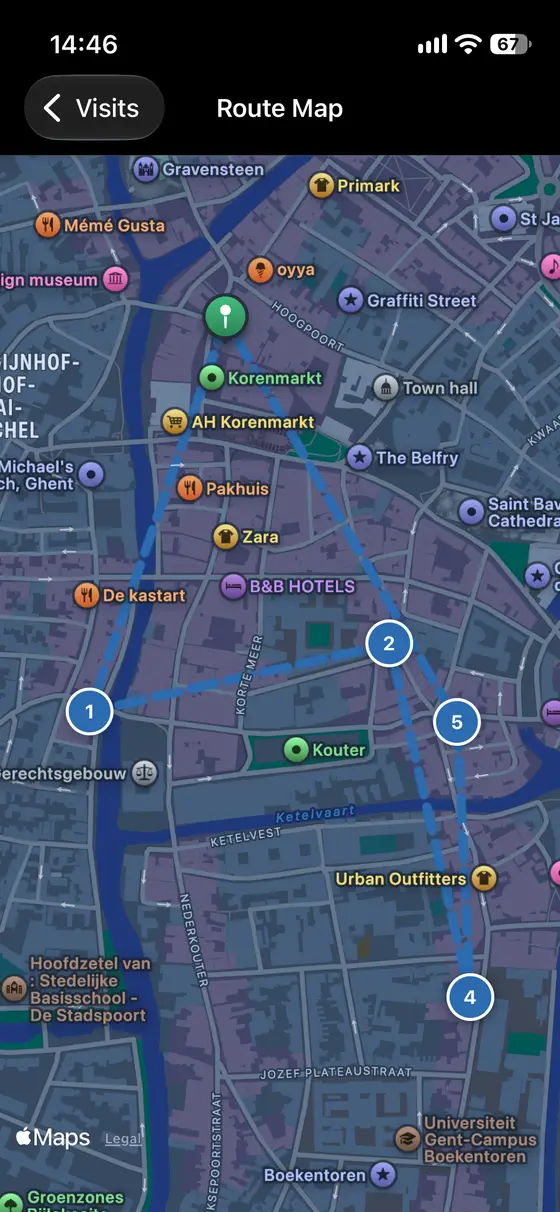
By itself. From home or from where you are, and back home. Change something and Plotr re-sorts.

3

Tap Go

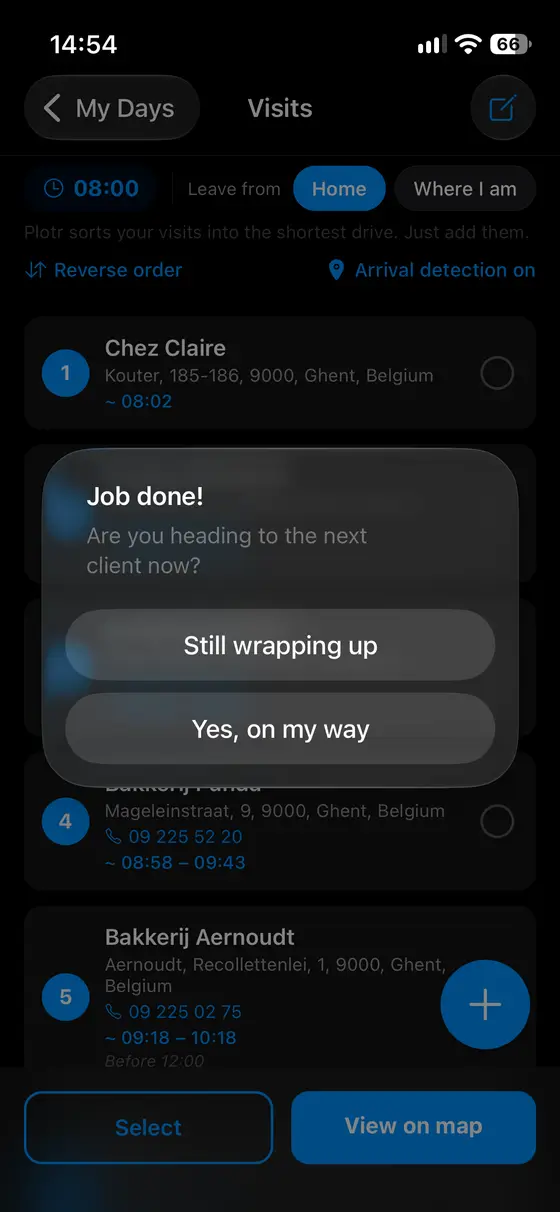
Waze, Google Maps or Apple Maps opens, the app you already use. Leave a customer and Plotr asks: done?
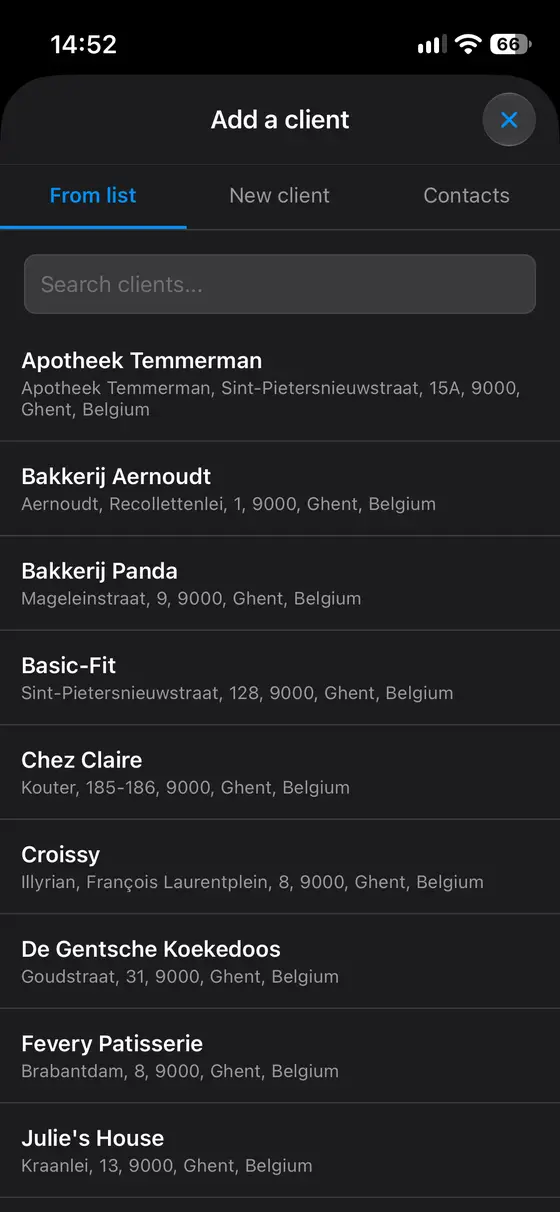
A client from your contacts, one tap
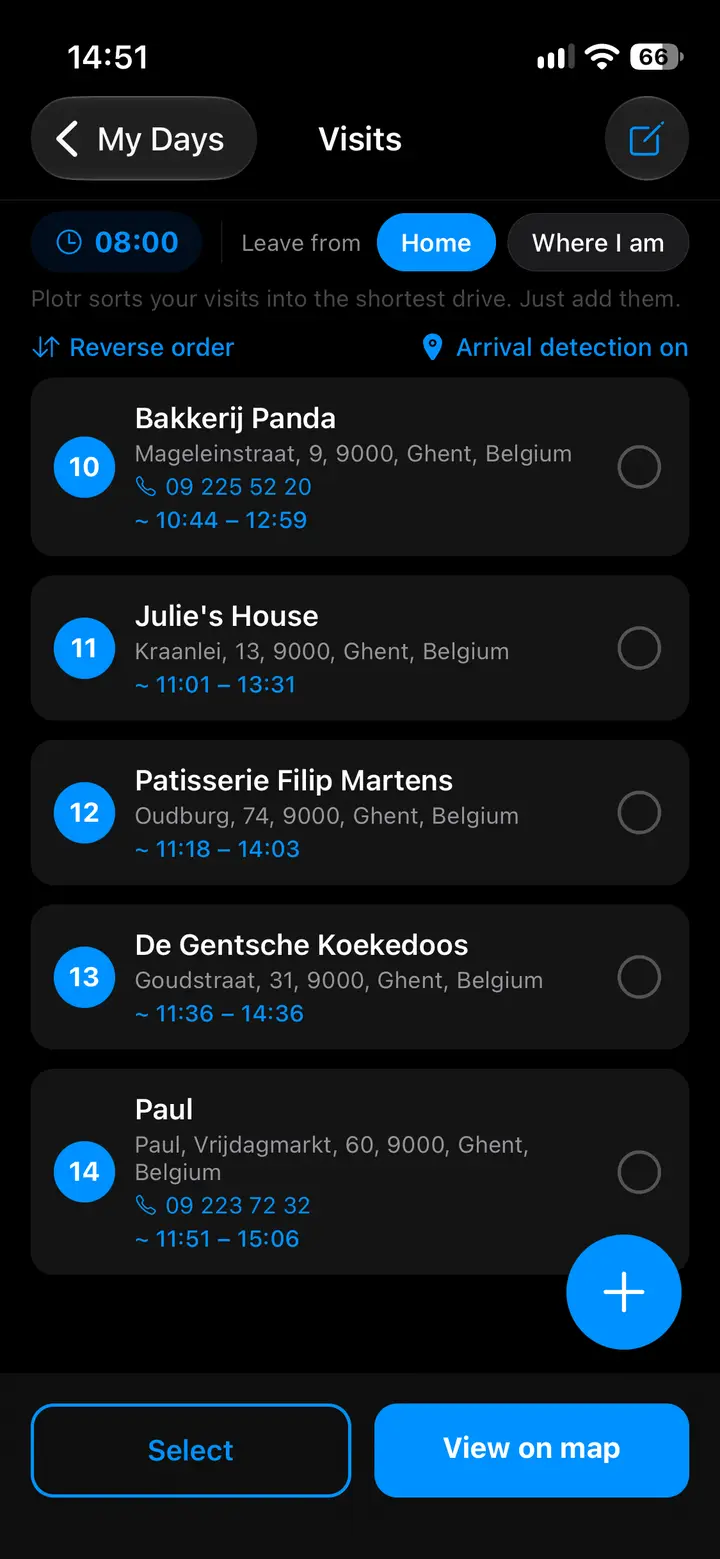
Your whole day on one map
Drive off, and Plotr asks: done?
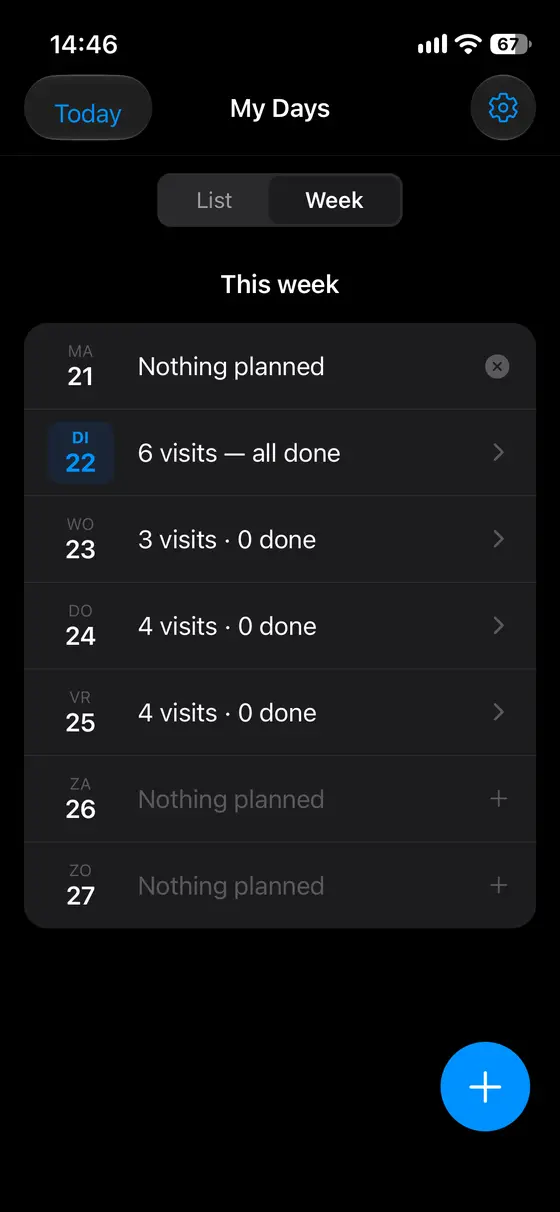
Plan the whole week
Plan the whole week

What it costs

€29 a month or €290 a year, after a two-week trial. People on the list can take lifetime for €499 at launch. One detour less a week and it's paid for.

Pricing →

Everything stays on your phone

Your clients, addresses and visits are never sent to us. Works offline once addresses are saved.

Questions I get a lot

What exactly is Plotr Pro's?
Plotr Pro's is an app for self-employed tradespeople who drive from customer to customer every day. You enter the day's visits and the app puts them in the smartest driving order by itself, respects "customer only home after 4", gives an arrival time per visit and opens Waze, Google Maps or Apple Maps for directions. No account, no cloud: everything stays on your phone.
Isn't this just Google Maps?
Google Maps and Waze get you from A to B. Plotr decides what A, B, C, D and E are: the order of your whole day, with time windows and your home as the end point. Then it sends you to Google Maps or Waze for the route. They work together: Plotr plans, your navigation app drives.
The order isn't right for me. Can I change it myself?
Yes. Press and hold a visit and drag it where you want. Plotr remembers your choice for that day. To go back to the calculated order, tap "Reverse order" or remove and re-add the visit. Tip: if a customer is only available at a certain hour, enter a time window on the visit instead of dragging. The rest of the day stays optimal.
What is "Arrival detection" and what does it do with my location?
If you switch it on for a day, your phone asks for location permission "always". With that, your phone notices when you leave a customer's address, even with the app closed, and Plotr asks: "Done?". Your location is not stored and never sent to us; everything happens on your phone. Switched off, the app works normally and you mark visits done yourself.
What does Plotr cost?
€29 a month, €290 a year (two months less than paying monthly), or €499 once for a lifetime licence. New customers try it for 2 weeks first; only then is anything charged. Prices include VAT and may differ slightly by country; the exact price is shown in the app before you confirm.

Also for

Home by six. Every day.

Join the list. You hear first, and the founder price is yours.

Done. Check your inbox and confirm. Your personal link for bringing colleagues is in there too.
That didn't work. Try again or email us directly.

In the App Store from 2 November, on Google Play in January. Made in Belgium.